2023. 8. 22. 14:12ㆍBackend/Spring

✨ 중앙정보처리학원 강의 수강중입니다.
1. IDE : IntelliJ 다운로드 및 설치 https://www.jetbrains.com/ko-kr/idea/download/?section=windows

2. Spring Initializr ( https://start.spring.io/ )
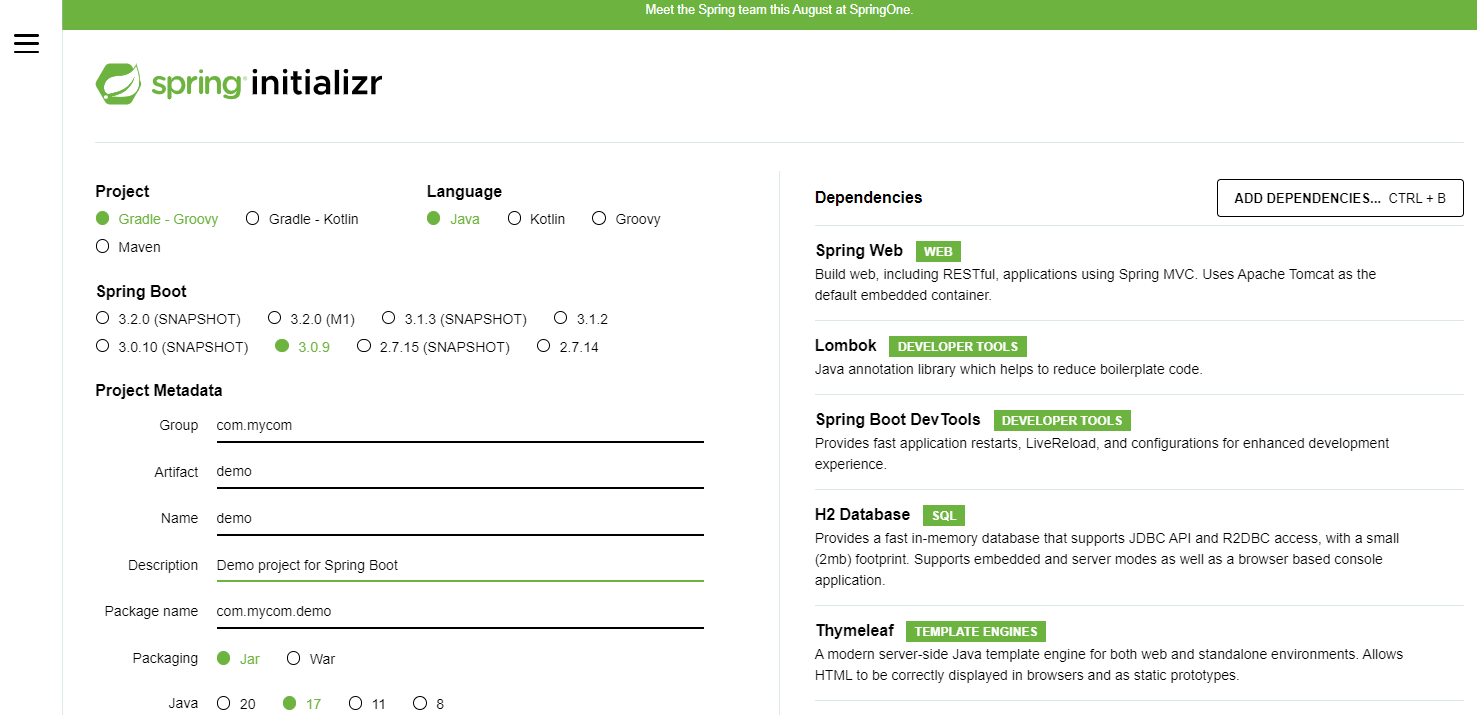
(참고) 혹시나 라이브러리 추가하는 것을 놓쳤다면... IntelliJ Settings에서 아래처럼 이렇게 추가해주거나, build.gradle에 dependencies 에 내용을 추가해주면 됩니다. (참고사이트 : https://mvnrepository.com/ )


3. IntelliJ에서 파일 열어서 언어 관련 설정 (프로젝트 내 공통으로 약속하는 부분)
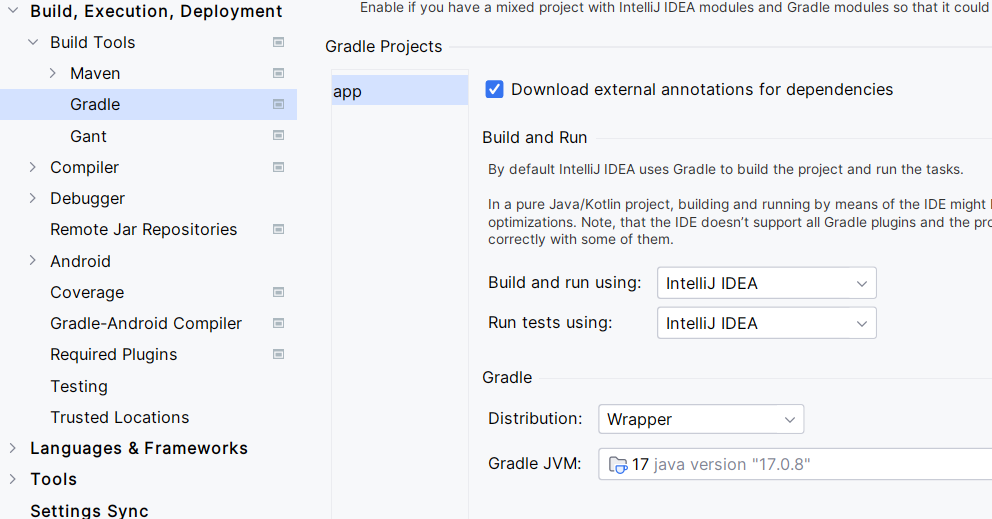


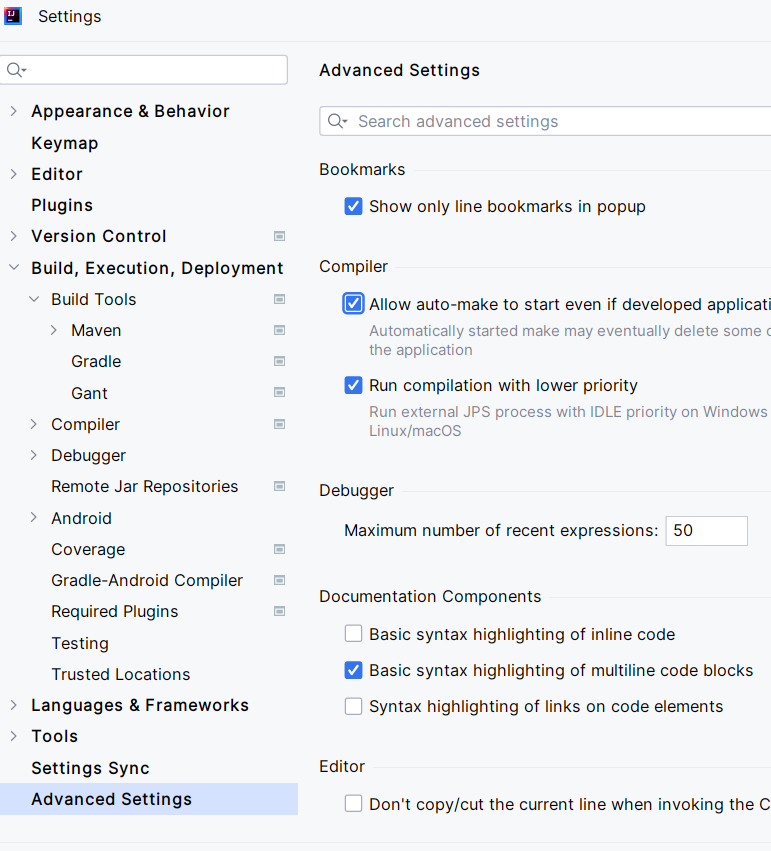

4. 환경 설정 및 h2
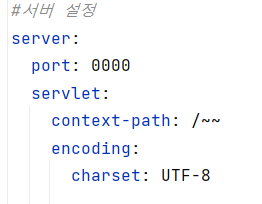
1) application.yml 이용하여 port, context-path, encoding 설정 넣어주기
2) application.properties 이용

- enabled : h2 console 이용하는지 여부
- path : h2 경로
- url : h2 접속 경로(정보)
- driverClassName : 사용하게 될 DB
- username : h2 사용시 이름
- password : h2 사용시 비밀번호

이후 다시 서버 올린 후, 사이트 접속해서 test connection 했을 때, success 나오면 성공!

'Backend > Spring' 카테고리의 다른 글
| [Error/Spring] org.apache.ibatis.binding.bingdingException: parameter ' ' not found (0) | 2023.08.28 |
|---|---|
| [Spring] h2 console 에서 다른 값이 나와 초기화할 때 (1) | 2023.08.23 |
| [Spring] Spring Boot 환경 설정 (0) | 2023.08.21 |
| [Spring] 환경 설정 (0) | 2023.08.19 |
| [Error/Spring/MyBatis] [500] ArrayList cannot be cast to (0) | 2023.08.16 |